Why Many Teams Switch for Webhook-Driven Automations
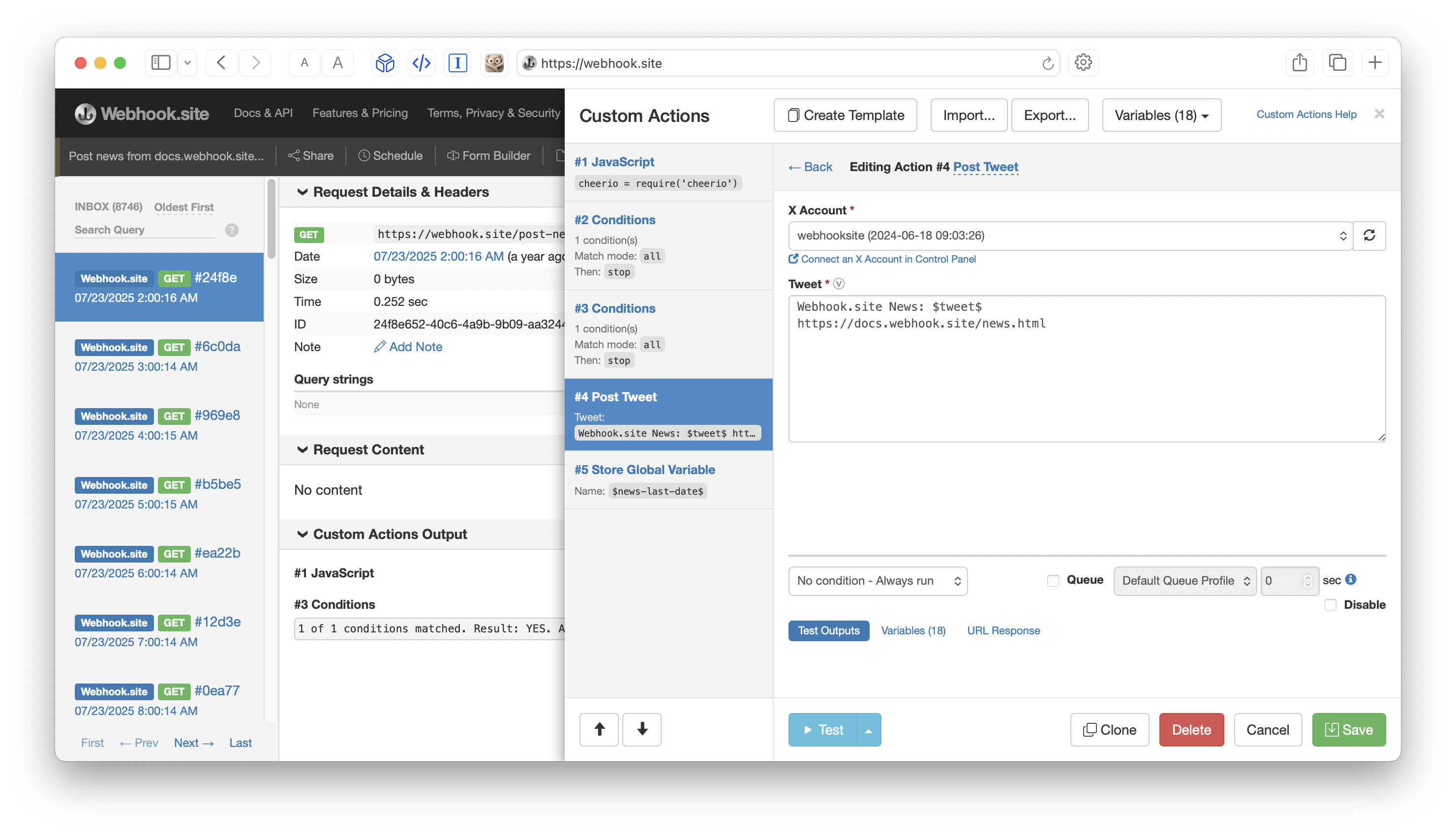
Zapier, Make.com, and n8n are excellent tools. Thousands of teams use them successfully every day.
Yet we regularly hear from customers who moved their webhook-heavy workflows to Webhook.site Custom Actions. The reasons they give are remarkably consistent:
- Greater flexibility when dealing with complex or messy webhook payloads
- Significantly lower and more predictable cost (no per-task or per-execution charges)
- Full visibility into exactly what the workflow did on every single request
This post breaks down the differences so you can decide which tool fits your use case best.
Quick Overview
| Aspect | Webhook.site Custom Actions | Zapier | Make.com | n8n (Cloud / Self-hosted) |
|---|---|---|---|---|
| Primary strength | Webhook-native inspection + automation | Broadest app ecosystem | Visual scenario building | Developer control & self-hosting |
| Pricing model | Flat subscription | Per-task | Credit-based | Per workflow execution (Cloud) or free (self-hosted) |
| Starting paid price | $9/mo (Basic) | ~$20–30/mo | ~$9–12/mo | ~€20–50+/mo Cloud / free self-hosted |
| Cost at high volume | Predictable (flat) | Can rise sharply | Scales with credits | Scales with executions or server cost |
| Visibility into runs | Excellent (full request + action outputs, replay) | Good (but limited intermediate detail) | Strong execution history | Strong (especially self-hosted) |
| Webhook payload flexibility | Very high (Extract JSON, Regex, JS, conditions, looping) | Medium | High | Very high |
| Best for | Teams that live in webhooks | Non-technical users, many apps | Complex visual flows | Developers who want full control |
1. Cost: The Biggest Reason People Switch
This is the number-one comment we hear.
Zapier charges per task. A multi-step Zap that processes 5,000 webhooks per month can easily consume tens of thousands of tasks. Bills of several hundred (or thousands) of dollars per month are common once volume grows.
Make.com uses a credit system. Each module in a scenario consumes credits. High-volume or complex scenarios add up quickly.
n8n Cloud charges based on workflow executions. Self-hosting is free in terms of license cost, but you pay for the server, maintenance, uptime, and scaling.
Webhook.site uses a simple flat subscription:
- Basic: $9/month ($9/year)
- Pro: $19/month ($190/year)
- Enterprise: $69/month ($699/year)
Once you’re on a paid plan, you can run as many Custom Actions workflows as you want. There is no per-task, per-operation, or per-execution fee. For teams whose main trigger is webhooks, this often results in dramatically lower and much more predictable costs.
More about Webhook.site Pricing →
2. Flexibility with Real-World Webhooks
Many webhooks arrive with messy, nested, or inconsistent JSON. You often need to:
- Extract deeply nested fields
- Clean or transform data
- Apply conditions
- Loop over arrays
- Call other APIs with custom authentication
- Fall back to custom JavaScript when needed
Webhook.site Custom Actions were built exactly for this. You get:
- Powerful data extraction (JSON, JSONPath, Regex, XPath)
- Visual conditions and branching
- Repeating actions for looping
- Full JavaScript (Node.js sandbox with useful libraries)
- Native actions for Slack, Google Sheets, databases, S3, HTTP requests, email, and more
Customers frequently tell us they could finally stop fighting the limitations of other platforms’ data mappers or having to add extra “Code” steps that still felt constrained.
3. Visibility: “I Can Actually See What Happened”
This is the second most common reason people switch.
With Webhook.site you see:
- The exact raw request (headers, body, query parameters)
- The output of every single action in the workflow
- Variables that were created
- Errors with full context
- The ability to Replay any past request and re-run the workflow after making changes
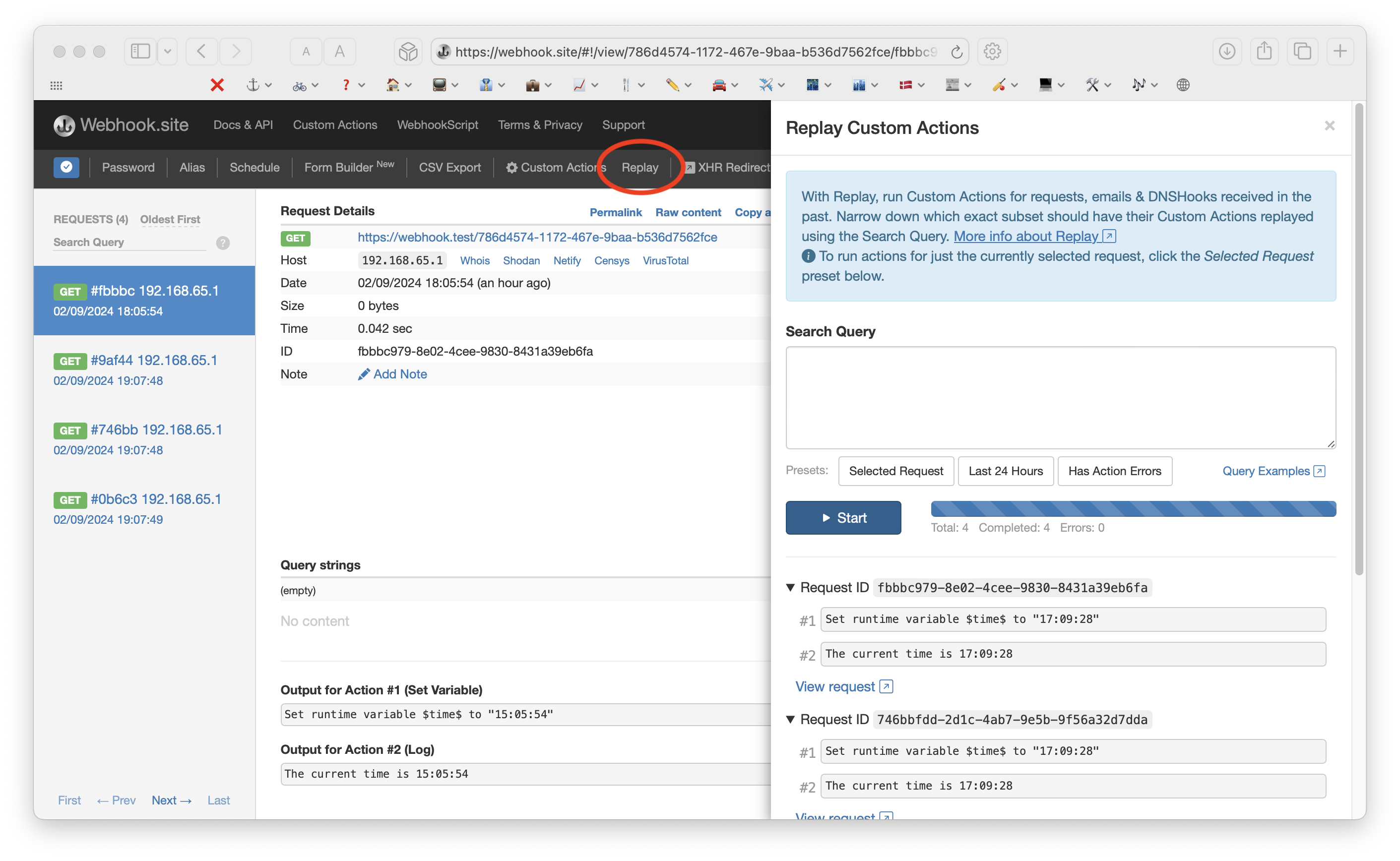
When something breaks (or behaves unexpectedly), you can diagnose it in seconds instead of digging through limited execution logs or having to re-trigger the original system.
Many teams describe this as the difference between “hoping it worked” and “knowing exactly what happened.”
4. Asynchronous Actions and Throttling
Using the Webhook.site Queue feature for running Custom Actions, you can run those actions asynchronously to speed up the response time for your Webhook.site URL.
With Webhook.site Queue Profiles, you can then also configure exactly how many actions can run in a given time period – ideal for throttling actions that interact with a rate-limited API.
When You Might Still Prefer the Other Tools
- Zapier — Best if non-technical team members need to build automations across dozens of SaaS apps and webhook volume is low-to-moderate.
- Make.com — Excellent visual builder and strong for complex multi-app scenarios that aren’t primarily webhook-driven.
- n8n — Ideal if you want full open-source control, heavy custom code, or prefer to self-host for compliance or cost reasons reasons.
Webhook.site is not trying to replace these tools for every automation. It is particularly strong when webhooks are the center of the workflow and you care about cost predictability, payload flexibility, and deep observability.
Real Customer Feedback (Summarized)
We regularly hear variations of:
“We were paying hundreds per month on Zapier just for a few high-volume webhook flows. Moved them to webhook.site and the bill dropped dramatically while gaining better debugging.”
“Make was powerful but I got tired of not being able to see the intermediate data clearly. The replay and full action outputs on webhook.site are a game changer.”
“n8n is great, but we didn’t want to manage another piece of infrastructure. webhook.site gives us the flexibility we need without the ops overhead.”
Conclusion
If your automations are primarily driven by incoming webhooks and you value:
- Predictable pricing
- Deep flexibility with payloads
- Full visibility and easy debugging
…then webhook.site Custom Actions is worth a serious look.
You can start on the Basic plan for $9/month and migrate individual high-volume or complex webhook workflows first. Many teams end up moving more over time once they experience the combination of cost, control, and clarity.
Ready to try it?
Create a free URL, upgrade when you’re ready for Custom Actions, and build your first workflow in minutes.